Fix Codex App instructions_required 400 Behind CLIProxyAPI
AI Agents
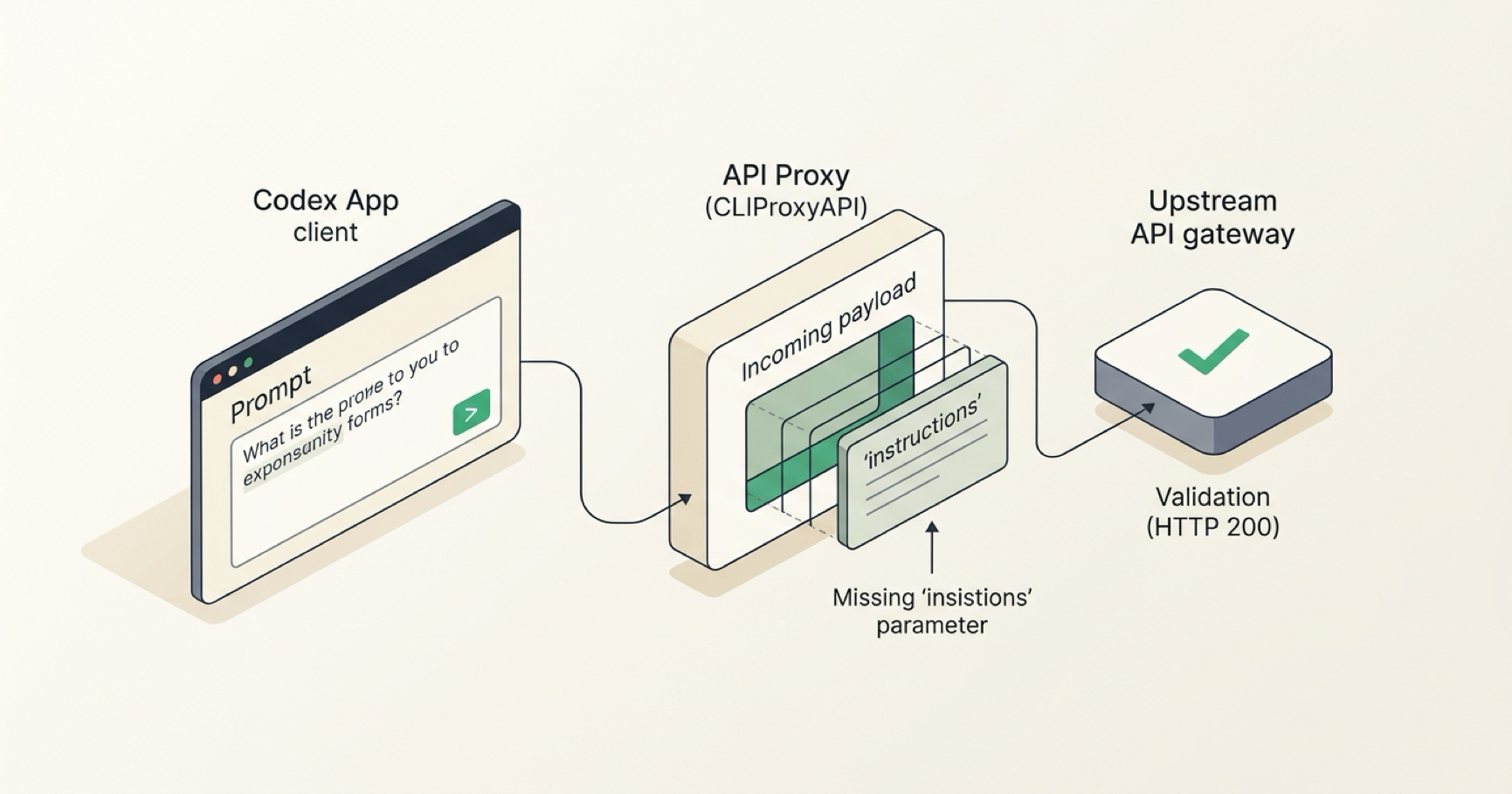
When I routed the Codex App through CLIProxyAPI (CPA) to a third-party upstream, requests failed immediately with a 400 error:
instructions_required · 400
The instructions parameter is required and must be a non-empty string.
The failure was not fixed by upgrading CPA, turning on the built-in Codex instructions option, or trying to remove the field with payload.filter. The working fix was much smaller: keep the built-in injection disabled and use payload.default to supply a minimal non-empty compatibility value only when the field is missing.
Quick fix: the configuration that worked
In /opt/cpa-deploy/config.yaml:
codex-instructions-enabled: false

payload:
  default:
    - models:
        - name: "gpt-*"
          protocol: "codex"
      params:
        "instructions": "Follow the instructions provided in the input."
Then restart the CPA container:
cd /opt/cpa-deploy
docker compose restart cli-proxy-api
After the restart, the Codex App worked again through this upstream.
Environment
| Item | Version / setup |
|---|---|
| Deployment | Docker Compose |
| CPA image after upgrade | eceasy/cli-proxy-api:v7.2.147 |
| Container | cpa-cli-proxy-api |
| Compose file | /opt/cpa-deploy/docker-compose.yml |
| CPA config | /opt/cpa-deploy/config.yaml |
| Codex App | 0.152.1 |
| Endpoint | /v1/responses |
CPA had originally been on v7.2.142; I upgraded to v7.2.147 during troubleshooting.
Root cause
The important part was the shape of the request at each layer.
1. What the Codex App sent
The newer Codex App request did not include a top-level instructions field. Its system/developer instructions were already carried inside input.
2. What CLIProxyAPI normalized
While forwarding the Codex /v1/responses request, CPA normalized the missing top-level field into:
"instructions": ""
3. What this upstream accepted
In the third-party upstream I was using, validation behaved like this:
- field missing: accepted
- non-empty string: accepted
- field present as an empty string: rejected with
instructions_required
So the problem was not “Codex forgot its instructions.” The compatibility failure was created by the combination of CPA’s normalization behavior and the upstream’s stricter validation of an explicitly empty value.
What I tried before the working fix
Attempt 1: upgrade CLIProxyAPI
I first upgraded CPA from v7.2.142 to v7.2.147:
cd /opt/cpa-deploy
docker compose pull
docker compose up -d
The error remained. That ruled out the simple explanation that I was only hitting an old-version bug already fixed by the newer image.
Attempt 2: enable Codex instructions injection
I tried:
codex-instructions-enabled: true
That still did not resolve this upstream-specific failure. I ultimately left the option disabled.
There was another reason not to keep it enabled: it injects a much larger default Codex prompt, while this compatibility problem only required the top-level field to be non-empty.
Attempt 3: remove the empty field with payload.filter
Because the upstream accepted a completely missing field, deleting instructions seemed cleaner than filling it.
I tried filtering the empty field, but the final request still contained:
"instructions": ""
The reason was a later CPA normalization step. Even if the field was filtered earlier in the pipeline, it was added back as an empty string before the request reached the upstream.
That made “remove it” an ineffective strategy for this path.
Final approach: fill a minimal value only when missing
The reliable workaround was:
codex-instructions-enabled: false

payload:
  default:
    - models:
        - name: "gpt-*"
          protocol: "codex"
      params:
        "instructions": "Follow the instructions provided in the input."
This satisfied the upstream’s requirement without asking CPA to inject its full default Codex prompt.
Why payload.default was a better fit than override
Two details mattered to me.
First, the actual Codex system/developer instructions were already present in the input structure. In this setup, the short top-level value existed to satisfy an upstream compatibility check rather than to replace the real instruction context.
Second, I used payload.default instead of payload.override. If a future client request already contains a valid instructions value, a default does not need to forcefully replace it.
The resulting data flow was:
Codex App
  ↓
System/developer instructions are already in input
  ↓
CPA sees top-level instructions missing
  ↓
payload.default supplies a minimal non-empty value
  ↓
Third-party validation passes
  ↓
Request executes normally
A faster way to debug similar 400 errors
The most useful evidence was in the CPA logs. Compare these two sections:
REQUEST BODY— what the Codex App originally sent to CPA.API REQUEST 1— what CPA actually sent to the upstream after its own processing.
If the upstream rejects a request and those two bodies are structurally different, the proxy’s translation or normalization layer becomes a much stronger suspect than the client itself.
This is the same debugging habit I used in my local MCP to ChatGPT Web setup : validate each layer independently, then compare what crosses the boundary between layers.
What this fix does — and does not claim
This is a compatibility fix for the concrete chain I tested: Codex App → CLIProxyAPI → a third-party Responses upstream with the validation behavior described above.
It does not mean every instructions_required error has the same cause. The useful general method is to inspect the request before and after the proxy transformation rather than assuming the client, proxy, or model endpoint is at fault.