Multica Guide: Issues, Agent Workflows, and Multi-Agent Collaboration
AI Agents
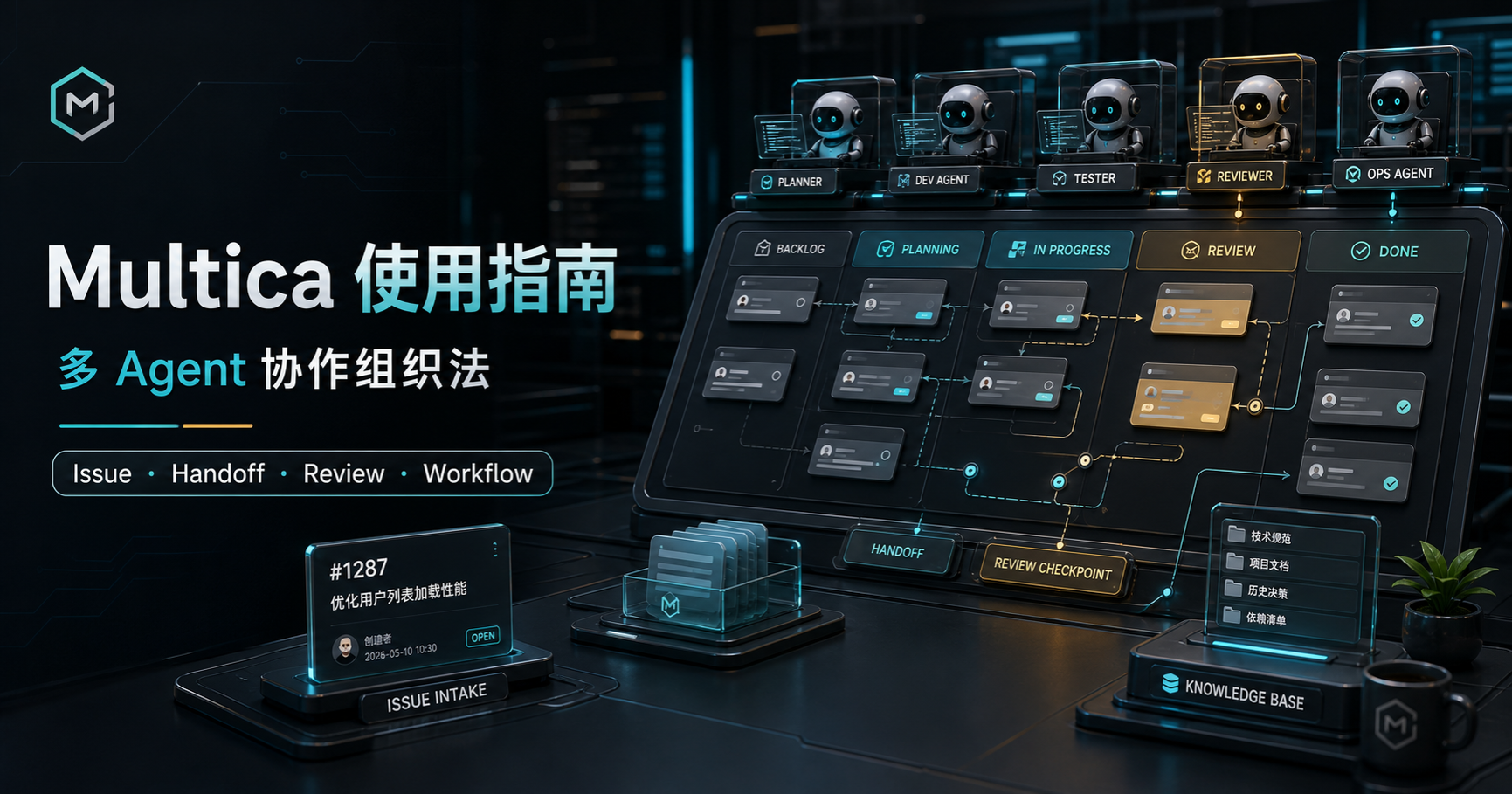
Multica is a multi-agent collaboration platform. You connect CLI agents such as Claude Code, Codex, OpenCLI , and Hermes into it, then organize tasks using workspaces, issues, automations, and CLI tools.
If Slock feels like a chatroom, Multica is closer to an office. A chatroom works well for calling someone in, quick brainstorming, and immediate course corrections. An office needs tasks, assignees, statuses, handoffs, and verification.
When you run multiple agents, multiple projects, and multiple terminals at once, Multica provides a shared space where work can retain its state, handoffs, and acceptance criteria.
This article is based on real-world community usage from late April to early May 2026. Multica iterates quickly and specific UI controls change; this guide focuses on relatively stable organizational patterns.
What Multica is: it only makes sense once chat gets messy
If you only need ad-hoc Q&A, a quick reference lookup, or a single agent to tweak a small snippet, Multica will feel heavy. Opening Slock, Claude Code, or Codex directly is much faster.
Multica starts delivering value when:
- a task requires planning, execution, review, and acceptance;
- multiple agents work across different machines or different models;
- tasks need persistent state and audit trails instead of vanishing into terminal scrollback;
- more than one person on a team needs visibility into progress;
- chat histories become too cluttered to track who did what.
It requires breaking work down into explicit tasks, defining those tasks clearly, and separating permissions.
How to use Multica: start with an Issue small enough to verify
The shortest path through the platform is: Requirement → Issue → Agent execution → Review. Verify one small task first before introducing Squads, automated workflows, or multi-machine scheduling.
Do not start by asking an agent to “refactor the entire codebase.” A much better first Issue looks like this:
Read this repository’s README and package.json, summarize the startup steps, and generate a local run checklist.
This task tests three things: whether the agent can read the project, whether it updates the issue status, and whether it knows when to stop. It also verifies whether your review flow works in practice, rather than simply trusting the agent when it says “done.”
If a small issue like this cannot retain clean state, do not rush into automations, complex workflows, mobile controls, or multi-machine dispatch.
Issues are the collaboration protocol
In Multica, the issue is the central primitive.
Many multi-agent failures are not caused by unintelligent models. They happen because work was never packaged into an executable object. Tossing an offhand prompt from a chat conversation straight to an agent and expecting consistent delivery almost always leads to drift.
A good issue defines five things:
- Background: why this task exists, and where relevant projects or files live.
- Goal: what should be visible once the task finishes, rather than vague instructions like “optimize this.”
- Boundaries: which files must not be touched, which actions are forbidden, and whether installing dependencies is allowed.
- Deliverables: whether the output should be code, a report, screenshots, an HTML page, or a set of new sub-issues.
- Acceptance criteria: which commands to run, which pages to inspect, and who performs the review.
If writing issues feels tedious, you can set up a dedicated agent to rewrite natural-language requirements into structured Multica issues. But do not hand off the entire process: at minimum, you need to check the boundaries and acceptance criteria yourself.
Agents easily interpret “explore this” as “go ahead and change it,” or “draft a plan” as “start implementing right away.” In a multi-agent system, those misunderstandings compound across every downstream task.
Organize agents by workflow role, not job title
Avoid locking agents into rigid corporate titles like frontend developer, backend developer, or QA engineer from day one. An agent’s capabilities depend on its runtime, underlying model, active context, and tool permissions; what works well for frontend today might handle data analysis tomorrow.
A more resilient setup organizes roles around the task flow:
- Planning Agent: turns fuzzy requirements into structured plans, issues, and acceptance criteria.
- Execution Agent: modifies code, writes reports, or processes files according to the issue.
- Review Agent: inspects diffs, runs tests, and evaluates deliverables. This should never be the same agent that wrote the code.
- Coordinator Agent: selects the right agent based on task type without necessarily executing tasks directly.
The goal here is not getting more agents to talk to each other. The goal is separating planning, execution, and verification into distinct steps.
Nor is the purpose of multi-agent setups to remove humans entirely. Some people in the community already treat “external agent cross-review plus a final human decision” as a pre-merge process. That final judgment call still belongs to a person.
Multi-machine dispatch acts as an agent control plane
Multica works particularly well as a control plane for agents distributed across different machines.
Some community users register domestic machines, overseas Macs, and local terminals into a single setup: running Codex on the China-side machines and Claude on overseas machines. Instead of toggling between terminals, they dispatch issues, inspect progress, and collect deliverables from one shared workspace.
Execution still takes place on each respective machine, but task entry points and state tracking stay centralized.
This model fits several setups:
- multiple machines: local PC, work laptop, overseas VPS, or a Mac mini;
- multiple model pools: Claude, Codex, Chinese domestic models, API relays, or self-hosted runtimes;
- parallel projects running simultaneously: software development, content authoring, data analysis, and web monitoring;
- triggering tasks from a mobile device without having to manage raw terminal sessions on a phone.
The primary risk here is permissions. Decide upfront which agent can touch which machine, directory, and credential. Avoid granting every agent unrestricted access across all machines.
Workflows exist to reduce drift, not just automate steps
When people first encounter agent workflows, they often assume the goal is automating more steps. In practice, the more important function is reducing drift and managing cost.
Over long-horizon tasks, models tend to lose sight of original objectives, expand scope, duplicate effort, or skip steps that require human confirmation. Stronger models mitigate this tendency, but they do not eliminate it.
A practical workflow often follows this sequence:
- A Planning Agent reads the requirement and generates decomposed issues.
- A human confirms the scope of the issues.
- Execution Agent A modifies the code.
- Execution Agent B writes tests or checks boundary conditions.
- A Review Agent outputs an acceptance report.
- A human decides whether to merge, request revisions, or split off follow-up tasks.
This mirrors traditional software engineering workflows, with two key differences: each step can be performed by an agent, and all issues, statuses, and reports stay organized inside the workspace.
This describes the sequence of collaboration I want tasks to follow.
Can Multica automatically orchestrate multiple agents all the way to delivery?
Multica can organize dynamic collaboration, but it should not currently be understood as a strict workflow engine that guarantees an automated run from start to finish. A Squad behaves more like a Leader waking up and deciding the next agent based on context. In my early hands-on testing, I did encounter cases where a Worker completed its task but the Leader did not naturally resume coordination, requiring manual intervention to move forward. Current Multica documentation explicitly states that a member’s progress update without an explicit @ mention automatically re-awakens the Leader; Multica also shipped several Squad wake-up and multi-stage coordination fixes across v0.3.35–v0.3.39 in early July 2026. However, because I did not pin the exact Multica version or establish the root cause in my original test environment, I cannot attribute what I observed to one specific bug or claim that a particular release definitively fixed it. Even with automatic wake-up mechanisms in place, it remains a dynamic system rather than a hardcoded state machine: the Leader still decides next steps based on context, and leaving final confirmation to a human remains the most dependable approach.
If your primary question is whether Multica can take a high-level goal and autonomously coordinate multiple agents all the way to final delivery without human intervention, see the detailed breakdown in Does Multica Reduce Work or Add More? Lessons from a Real Squad Workflow .
How agents should hand off work: do not rely only on chat
A common trap in multi-agent collaboration is letting agents talk to each other in an endless chat thread.
Chat is natural for humans because we can watch the reasoning unfold. For agents, however, conversational chat is rarely the most reliable handoff format. Structured documents, issues, status updates, acceptance reports, and explicit handoff mechanisms are far more dependable.
A simple operational rule helps:
Discussions can happen in chat, but commitments must enter the Issue.
When agents brainstorm, free-form chat is fine. But once execution starts, write down the goal, boundaries, deliverables, and acceptance criteria in an issue. Downstream agents should take their instructions from the issue, not from casual remarks scattered across chat logs.
Structured handoffs preserve information integrity, but that is not the same as eliminating human oversight entirely. Although current official mechanisms support automatically re-awakening the Leader upon member replies and July release iterations continued to address multi-stage progression issues, advancing through stages and making final confirmations in complex tasks still requires human judgment. The detailed walkthrough is documented in Does Multica Reduce Work or Add More? Lessons from a Real Squad Workflow .
When teams adopt it, collaboration turns into governance
While Multica appeals to individual power users, introducing it to a team introduces governance challenges:
- Onboarding: If new team members have to learn workspaces, agents, runtimes, issues, and automations from the ground up, the conceptual overhead can stall adoption. Team environments require landing directly in a shared workspace rather than learning product architecture from scratch.
- Notification and subscription governance: In early versions, how to notify relevant team members when agents created issues was a real friction point. Multica now includes a comprehensive Inbox and subscription mechanism (notifications trigger on issue assignments, new comments, status changes, @mentions, run failures, and automatic subscriptions). Consequently, the governance challenge is no longer “humans missing issues and having to refresh kanban boards manually.” Instead, it has shifted to determining who should be assigned, mentioned, or subscribed, and how to prevent notification fatigue from high-frequency agent interactions.
- Permission granularity: If an agent has access to an internal database, you probably do not want every team member to use it freely. Conversely, setting an agent to private can break agent-to-agent (A2A) collaboration. As multi-agent systems begin to mirror real organizations, permission boundaries increasingly resemble security gates and approval workflows.
- Context scope: While agents can theoretically query workspace issues, they cannot read the entire backlog on every turn. Knowing which background context needs to be explicitly repeated in a new issue versus what can be discovered independently is a skill users have to learn.
At this stage, Multica is best suited for small teams, power users, and engineers with strong operational discipline. Expanding to larger organizations will require enterprise-grade access control, audit logging, streamlined onboarding, and formalized workflow governance.
Token consumption is also an organizational problem
Multica does not automatically reduce token usage. By making multi-agent collaboration easier to set up, it also makes it easier to launch more agents and run more concurrent tasks.
Controlling token cost is less about limiting Multica usage and more about eliminating wasteful coordination:
- do not have five agents read the exact same background context simultaneously;
- do not submit a massive, open-ended task and let an agent explore indefinitely;
- do not route routine, repetitive execution through premium models;
- do not dump raw chat histories into long-term context for every participating agent;
- do not allow agents to “keep refining” tasks that lack explicit acceptance criteria.
A more effective distribution of labor uses premium models for planning, task decomposition, and review; economical models for repetitive batch execution; and human intervention at boundary conditions, risk points, and final decisions.
Troubleshooting drift: check the Issue before blaming the agent
When an agent strays off course, look at how the task was framed before tweaking prompts or instructions:
- The agent only offers shallow proposals. Check whether the issue is too vague, or whether the agent’s instructions are bogged down with persona definitions and irrelevant constraints.
- The task drifts further off course as it runs. Break the issue into smaller pieces. Attention drift is difficult to prevent entirely across long-horizon tasks; atomic, single-purpose issues are much more stable.
- The agent creates files or resources it shouldn’t. Enforce a “plan first, execute second” rule. If you only want an initial proposal, state explicitly: “Do not modify files, do not create issues, and do not trigger automations; output only the plan and identified risks.”
- Hesitant to grant broad permissions to team members. Use private agents and scope access to least-privilege directories. Never open direct access to production databases, payment systems, browsers, remote desktops, or host filesystems indiscriminately.
- Runtime errors. Submitting execution logs and reproduction steps via GitHub issues is far more effective than asking in community chat groups. Without logs, most runtime issues cannot be diagnosed reliably.
Who Multica is—and is not—built for
Multica fits three primary groups:
- developers coordinating multiple agents;
- small teams with structured, repeatable workflows;
- users operating across multiple machines, regions, and model providers.
The boundaries are equally clear: users running a single agent, those needing quick one-off answers, or anyone who dislikes writing issues and managing access controls will find the platform unnecessarily heavy.
Once you move from “I have an AI assistant” to “I manage an AI squad,” the core challenge ceases to be how to prompt a model—it becomes how to manage a team. Multica is designed for that second phase.
Further reading
If you have already established basic Issue and Agent collaboration, the next step is examining how coordination holds up under real conditions in Does Multica Reduce Work or Add More? Lessons from a Real Squad Workflow . That review explores Leader handoffs, review bottlenecks, the limits of automated workflows, and when Squads save time versus when they create additional management overhead.