OpenCLI for AI Agents: Turning Browser Workflows into Reusable CLI Commands
AI Agents
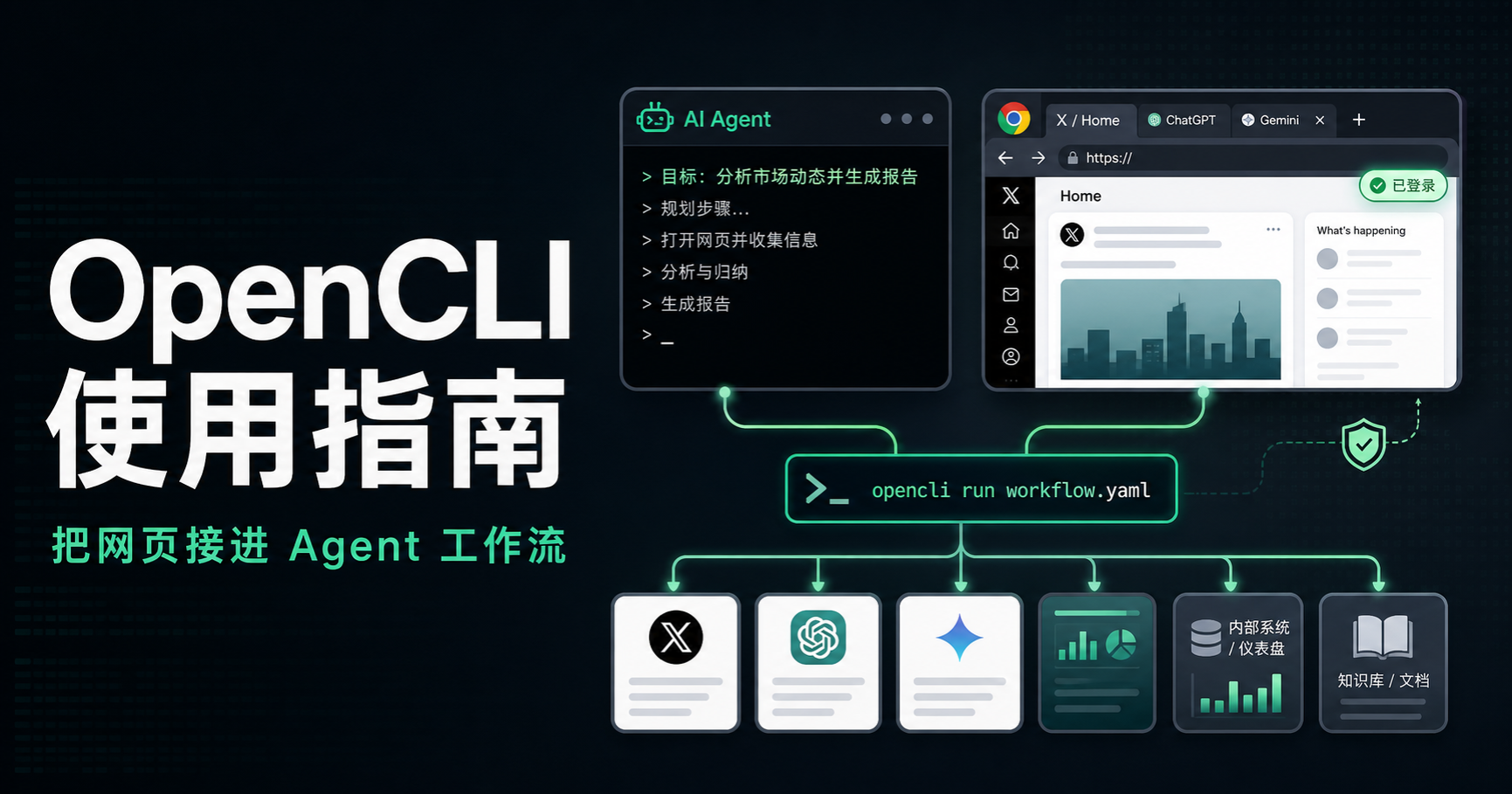
OpenCLI is easy to describe as “letting an AI click around websites.” That is not wrong, but it is too narrow.
A better mental model is that OpenCLI can do two things at once: let an agent operate a logged-in browser through Browser Bridge, and turn browser workflows that already work into reusable adapters or CLI commands. A flow can open a page, reuse an authenticated session, click, paginate, download, submit, and return a result. Codex, Claude Code, Slock / Raft, Multica, or another agent can then call the capability again instead of rebuilding the same interaction from scratch.
If I only need to look something up once, ordinary browser automation is enough. OpenCLI becomes more interesting when the same workflow comes back every week, the steps are mostly stable, and the output format is predictable.
This article is based on real community usage reports from April and May 2026, then rechecked against the current official README in September 2026. OpenCLI now centers its setup around OpenCLIApp or the CLI, Browser Bridge, and agent skills. Commands and adapters still move quickly, so I focus here on the workflow choices and risk boundaries that are less likely to expire.
First decide whether this is actually a repeatable browser workflow
Before writing an adapter, I ask three questions:
- Does the site already have a stable API or a mature CLI? If yes, use that first.
- Does the task depend on a logged-in browser, menus, forms, pagination, uploads, downloads, or a web-only AI product?
- Will I repeat this workflow often enough for a reusable interface to matter?
If the answer to the third question is “probably once,” I do not rush to build an adapter. I let the agent open the page, read it, and finish the one-off task.
If the answer is “every week,” such as exporting a dashboard report, organizing saved items, querying business information, or archiving forum posts into a knowledge base, then turning the flow into a reusable capability starts to make sense.
Start with a low-risk workflow
Do not begin with automated posting, bulk replies, account management, payment, or deletion. Start with a public page where failure has almost no cost.
A safer progression is:
- Prepare OpenCLI, Browser Bridge, and the agent skill. On desktop, the current project offers OpenCLIApp; CLI or server environments can also use the npm installation. Make sure Browser Bridge, the intended Chrome profile, the command path, and the required skill are available.
- Read one public page. Open an article or public post, extract the body and links, and save them as Markdown.
- Add one light interaction. Search for a keyword, open a result, and extract the title and URL.
- Run the same flow on another page. Check whether the output shape and error handling remain stable.
A good first task looks like this:
Open this public post, extract the body and every link, save the result to notes/opencli-test.md, then summarize five key points.
A bad first task looks like this:
Log in to my main account, reply to every message, and click whatever seems useful.
The first task tests capability. The second creates account risk before you even know whether the browser environment is stable.
A workflow contract matters more than a clever demo
One habit I find more valuable than a flashy automation demo is writing down the workflow once it works.
A reusable workflow should record at least:
- Entry point: which site it starts from, whether login is required, and whether the account region matters.
- Inputs: keyword, URL, date range, account name, export format, or another parameter.
- Actions: search, paginate, click, copy, download, upload, generate, or submit.
- Outputs: Markdown, JSON, CSV, images, a file path, or a result handed to another agent.
- Boundaries: buttons that must not be clicked and write actions that require human confirmation.
- Reuse: the command or adapter name, parameter examples, and what to check when it fails.
“Operate this website for me” is a weak specification.
A better instruction is:
Make this workflow repeatable. Document its inputs, outputs, permission boundaries, and failure handling so another agent can run it later.
Community discussions around OpenCLI covered very different sites and jobs: business-information services, academic databases, TradingView, advertising dashboards, e-commerce back offices, local-review sites, Instagram, Facebook, Indeed, and Glassdoor. The websites are different, but the underlying problem is the same: the business process lives in the browser, while a clean API is missing, inconvenient, or not the interface you actually use.
The workflows most worth crystallizing
The first useful category is content and knowledge capture.
Examples include saving articles, extracting forum posts, organizing news pages, exporting bookmarks, or feeding browser links into a local knowledge system. The point is not just “scrape a page.” The point is to bring a repeatable result back into the project where the rest of your tools can use it.
The second category is logged-in business software.
Business-information services, e-commerce dashboards, advertising consoles, internal CRUD systems, and low-code forms often already work well enough in a browser. OpenCLI can be a bridge while you are still deciding whether a formal API integration is worth building.
The third category is web AI products.
Grok, Qianwen, Doubao, Gemini, ChatGPT, and similar tools depend heavily on account state and browser sessions. If every run behaves like a fresh visitor, the experience becomes slower and more fragile. Reusing the right browser state can make a web-only tool behave more like a persistent capability.
There are also edge cases: downloading photos from cloud drives, reading Telegram content for comparison work, or handling browser questionnaires. The surface area is broad, but the closer the task gets to account assets, platform rules, or irreversible submission, the more conservative the automation should become.
Browser state is usually more important than the prompt
In longer-running use, the prompt is often not the main source of instability.
You need to know which browser is being used, which Chrome profile is connected, which account that profile contains, whether Browser Bridge is alive, whether the task is reusing a session, whether tabs are intentionally persistent, and what happens the next time the same site is opened.
The current session model is more explicit than the older browserSession.reuse style. A useful first check is the connected profile state:
opencli profile list
opencli profile use work
For browser-backed adapters, the current project can use siteSession: 'persistent' or --site-session persistent to retain a site session, while a one-shot task uses ephemeral. The exact fields and flags may keep evolving, so what matters more is understanding these three states:
know which profile you are using, which browser session owns the task, and whether the site state is supposed to persist.
That matters especially for web AI products. If Grok, Gemini, ChatGPT, or another site opens as a brand-new context every time, you lose continuity and often trigger more login or verification friction.
Multiple profiles matter too. Multiple accounts, separate Chrome profiles, anti-detect browsers, WSL, VPS environments, and remote desktops all introduce another layer of state. Chrome-family browsers with a working extension path are generally simpler; non-standard or remote environments need their browser and bridge setup checked first.
Execution speed is also a configuration choice. Public reads can usually be faster. Logged-in dashboards deserve more care. Social write actions should be slower still. OpenCLI is not a tool for bypassing platform risk controls; it is a way to make browser actions more deterministic.
Where OpenCLI fits in an agent toolchain
OpenCLI feels most natural when another agent calls it.
Codex and Claude Code handle understanding requirements, writing code, organizing files, and producing reports. Slock / Raft is closer to a chat-based control surface. Multica is closer to an issue and workspace coordination layer. OpenCLI is the part that enters the browser, keeps authenticated state, performs the page interaction, and returns the result.
If the capability you need comes from a local stdio tool rather than a website, that is a different integration path. My local MCP to ChatGPT Web setup covers that case. The first question should be whether the capability lives in a browser or in an MCP server; the tool choice follows from that.
When OpenCLI fails, I also debug the chain layer by layer:
- Did the agent actually load the OpenCLI skill it needs?
- Is the OpenCLI command executable in the current environment?
- Is Browser Bridge connected?
- Is the selected profile the account I expected?
- Is this page meant to reuse an existing session or start fresh?
- Does the adapter still match the current page language and DOM?
- Did the failure happen during the browser action, the command call, a permission prompt, or the agent’s parsing of the result?
“OpenCLI is broken” is rarely specific enough to solve the problem. Many failures come from the wrong profile, a missing skill, an unavailable command path, an unhandled permission prompt, or a browser session that is not the one you thought it was.
Slow down write actions and tier your accounts
Reading and writing are different risk classes.
Reading a public page is low risk. Reading your own bookmarks, likes, or dashboard data behind a login is higher. Posting, replying, bulk following, bulk submitting, downloading large amounts of data, paying, or deleting data is higher again.
A more conservative account strategy is:
- Use a low-privilege environment for public reads. A collection task does not need your primary account.
- Use a personal profile for your own knowledge workflows. Logged-in bookmarks are reasonable, but begin read-only.
- Use dedicated accounts for back-office automation. Keep permissions as small as possible.
- Require human confirmation for writes. Posting, replying, submitting forms, deleting, paying, and ordering should not silently become unattended defaults.
Platforms such as Xiaohongshu, X, Douyin, Instagram, and Facebook may react to abnormal behavior. Frequency, IP, device state, interaction patterns, account history, and write volume can all matter. Making the browser action callable from an agent does not make platform risk disappear.
Common places where things get stuck
The browser never comes up. Check the browser, Browser Bridge extension, and local runtime. On WSL or a VPS, confirm where the graphical browser actually lives and how the bridge reaches it.
The extension shows connected, but the agent says not connected. Confirm whether the browser is the one OpenCLI expects. In one community case, someone installed the extension in Brave, and Codex did not recognize it until they switched to the expected browser.
Finished tasks leave too many tabs behind. Update the version first, then inspect adapter behavior and tab-closing policies. Early Google Search tab residue was this type of issue.
A web AI product opens like a brand-new conversation every time. Check the active browser session, profile, and whether siteSession is set to persistent as needed. Web AI products are better suited to reusing stable site sessions.
The same workflow runs in Claude Code but fails in OpenClaw. Check whether OpenClaw actually loaded the OpenCLI skill, and whether the command path, permission prompts, and output format are passed through correctly.
A list capture silently misses data. Infinite scroll, pagination, recommendation feeds, and social timelines need explicit pagination rules, time boundaries, deduplication, and retry behavior.
Do not treat OpenCLI as a universal browser
OpenCLI is not the right abstraction for every temporary web task.
It is strongest when the workflow repeats, the steps are reasonably stable, the output shape is clear, and a failed run does not create serious damage.
Good candidates include:
- save frequently read forum posts or news pages as Markdown;
- export saved article links into a knowledge base;
- export a recurring dashboard report as CSV;
- query basic business information and normalize it into structured records;
- call a web AI product, then hand the result back to Codex for further work.
Tasks I would avoid automating by default include:
- bulk posting, replying, or following;
- payments, orders, transfers, or refunds;
- deletion, permission changes, or irreversible forms;
- unattended operation of a primary account on a high-risk social platform;
- vague requests such as “collect the whole internet” with no boundary.
The mature use of OpenCLI is not to let an agent roam the web freely. It is to turn the few browser workflows you actually repeat into tools the rest of your agent stack can call safely.